

 NexSCHOOL
Canteen class calls, without a microphone
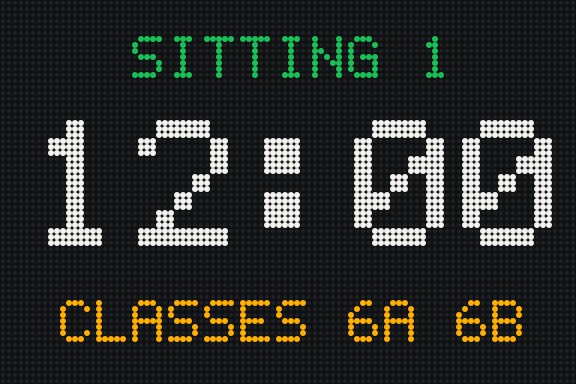
NexSCHOOL shows the names of the classes called to the canteen on LED displays. The order is scheduled in advance from the web interface: no more calling over the microphone.
In the canteen
Organised turns, without extra noise
Microphone calls add noise to an already loud dining hall. NexSCHOOL replaces the announcement with a display.
Silent calls
The class name appears on the display. No calls over the microphone.
Scheduled sequences
The order, times and display duration are set in advance.
Clear cues
Each class sees when its turn comes and comes forward without waiting for an announcement.
On site
Where pupils wait
Place one or more displays near the canteen, in corridors or at the dining hall entrance.
- 96 × 64 pixel RGB LED display
- Wall, pole or suspended mounting
- Mains or battery power
- IP65 protection, including under a covered playground
How it works
Set up in three steps
Install the displays
Near the canteen, in corridors or at the dining hall entrance.
Schedule the sequences
Set the order in which classes are called, the times and the display duration from the web interface.
Pupils read the display
When their class name appears, pupils head to the canteen.
Frequently asked questions
Does anyone need to step in during lunch service?
No. Sequences scheduled in advance run automatically.
Can a display be installed under a covered playground or outdoors?
Yes. The display is IP65-rated and suitable for both indoor and outdoor use.
How can a local authority get equipped?
Contact us. We respond to requests from schools and local authorities, as well as to public tenders.
Simplify canteen calls
Request a NexSCHOOL demonstration for your school, on site or by video call.